Short answer
The right photo background depends on where the picture goes. Amazon's main image must be pure white (RGB 255, 255, 255). Etsy, eBay and Shopify only recommend a clean, consistent background. Passports want a plain light background and an unedited photo, so a cutout is the wrong tool there. Stickers want transparency. The table below gives the background, the size and the page each rule comes from.
Choosing a photo background is really choosing a set of rules, because every place a picture ends up has its own. Amazon rejects a main image that is not pure white. Etsy turns a transparent PNG black. A passport office rejects a photo that has been edited at all, however good the edit looks. This page puts those rules side by side, says where each one comes from, and points to the guide that covers each use in full.
The short version: marketplaces want white, profile pictures and thumbnails want contrast, stickers and logos want transparency, and official ID photos want no editing at all. Everything below is that sentence with the numbers filled in.
Which background for which use: the table
Every marketplace rule here was checked on the marketplace’s own help pages in September 2026. Where a page is vague or two pages disagree, the guide for that destination says so.
| Destination | Background | Size | Where the rule comes from |
|---|---|---|---|
| Amazon main image | Pure white, RGB 255, 255, 255 (required) | 500 to 10,000 px on the longest side; 1,000+ enables zoom | Amazon Seller Central, Product image guide |
| Amazon additional images | Any; lifestyle and detail shots allowed | Same as above | Same page |
| Etsy listing photos | Your choice; no transparency (shows black) | At least 2,000 px wide recommended; first photo at least 635 px | Etsy Help, image requirements |
| eBay listing photos | Neutral; white “generally best” | At least 500 px; about 1,600 x 1,600 recommended; 12 MB max | eBay picture policy and adding pictures |
| Shopify product images | Your choice; keep it consistent | 2,048 x 2,048 recommended; 5,000 x 5,000 or 25 MP max; 20 MB max | Shopify Help, product media types |
| LinkedIn profile photo | No rule; light, plain, contrasting | 400 x 400 up to 7,680 x 4,320; 8 MB max | LinkedIn Help |
| US passport photo | White or off-white, and the photo unedited | 2 x 2 inches | US State Department |
| UK passport photo | Plain, light-coloured, and unaltered by software | See the page | GOV.UK |
| YouTube thumbnail | No rule; bold colour behind a cutout reads best | 16:9; at least 640 px wide; 2 MB on mobile, 50 MB on desktop | YouTube Help |
| WhatsApp sticker | Transparent, with a white outline recommended | Exactly 512 x 512 px WebP, 100 KB max | WhatsApp’s sticker documentation |
Checked September 2026. Platforms change these pages without notice, so if a number matters for a launch, open the source link and check it again.
Marketplaces: white, because the shopper is comparing
A search results page on a marketplace is a grid of small pictures of similar things. A white background makes those pictures comparable: the shopper sees the product, its shape and its colour, and nothing else. That is the reason Amazon gives for its rule (“a consistent shopping experience”, in its Product image guide), and it is why the other marketplaces recommend white even where they do not require it.
The guides for each marketplace go through the exact rules:
- Product photos on a white background covers what the four marketplaces share: pure white against off-white, how much of the frame the product should fill, shadows, and the order of work from photo to upload.
- Amazon product image requirements is the strict one. The main image must be pure white, the product should fill 85 percent of the image, and a main image that breaks the rules can take the listing out of search.
- Etsy product photos is the relaxed one, with a trap: a transparent PNG shows black on Etsy, and the thumbnail is cropped three different ways.
- eBay product photos covers the 500 pixel minimum, the ban on borders and added text, and eBay’s own background tool.
- Shopify product images is your own store, so the rule is consistency: one aspect ratio, one background, one size across the catalogue.
The honest caveat for all of them: a cutout gives you the background, not the rest of the work. None of these marketplaces rejects a photo only for being off-centre or the wrong shape, but several recommend square or landscape framing and a certain amount of empty space, and getPNG does not crop, pad to a square or resize. It keeps the photo at its full size and changes what is behind the subject. The marketplace guides name a free tool for each of the other steps.
Profile pictures and headshots: contrast, not a colour rule
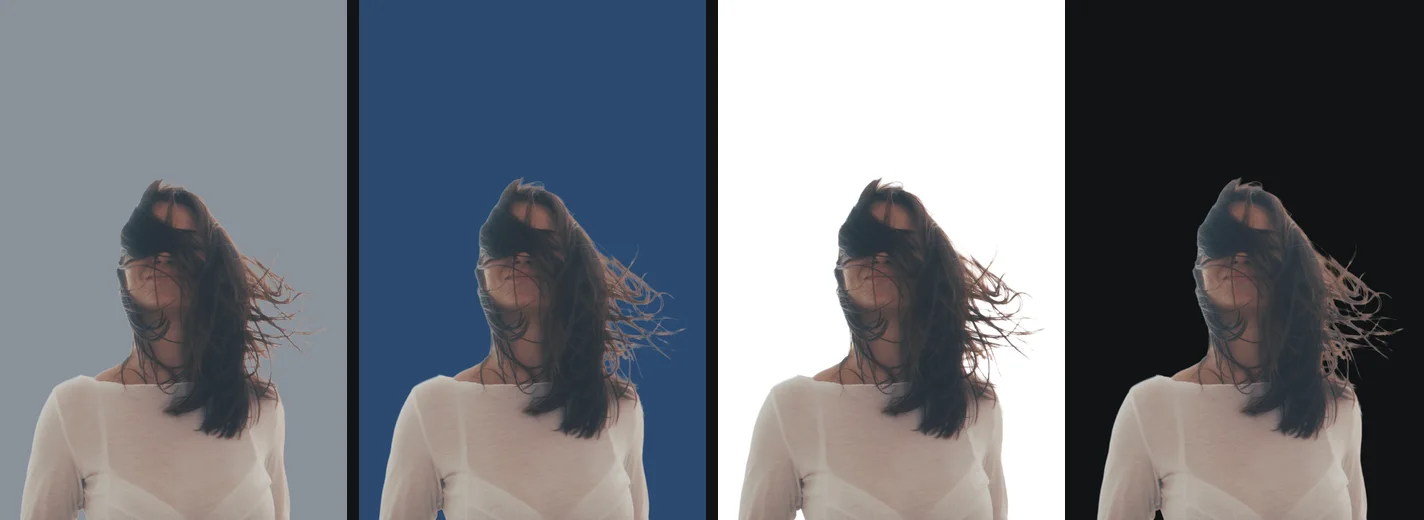
No platform we checked tells you what colour to put behind your face. LinkedIn’s help sets sizes and file types and leaves the rest to you. What decides a good background here is how the picture reads at 40 pixels across in a comment thread: the face has to separate from what is behind it.
- LinkedIn profile picture covers the crop to a circle, the size, and which backgrounds hold up at thumbnail size.
- Headshot backgrounds goes through the colour choice: grey, blue, white, a brand colour, a blurred office, and what each one does with dark hair, blonde hair and a white shirt.
- Profile picture backgrounds is for Discord, Slack, gaming and social avatars, where a bold colour or a transparent picture is more at home than a corporate grey.
The one thing to watch with a cutout of a person is hair. The model’s uncertainty around fine hair is kept as soft transparency rather than cut off hard, which is what a hair edge really is, but a soft edge placed on a colour very different from the original background can show a faint fringe. A background close in brightness to the original hides it; white halos around a cutout explains the fix when it does not.
ID and passport photos: the background is not the problem you think
This is the one use where a background remover is usually the wrong tool, and it is better to say so plainly. The US State Department’s photo page asks for an original, unedited photo on a white or off-white background. The UK government’s page asks for a plain light-coloured background and a photo “unaltered by computer software”. Replacing the background is an alteration.
Passport photo background covers what that means in practice: how to take a photo against a plain wall at home that passes, which countries ask for which shade, and why a perfect-looking edited photo can still be refused. The background is the easy part; the biometric checks on head size, expression and lighting are the part that fails applications.
Thumbnails, stickers and logos: bold colour or nothing at all
These three are the opposite of the marketplace rule. Here the background is part of the design, or it is not there at all.
- YouTube thumbnail cutouts: a cutout of yourself on a bold, flat colour is the standard thumbnail look, because it reads on a phone screen next to a dozen other videos. YouTube sets the shape (16:9) and the file limits, not the colour. The composition, with the text and the arrow, happens in a design app.
- Stickers from photos: WhatsApp stickers must be transparent WebP files at exactly 512 by 512 pixels, and WhatsApp’s own documentation recommends a white outline so a sticker stays visible on a dark chat background. Printed stickers usually want the same white border for the cutting machine.
- A logo photo to a transparent PNG: a logo photographed on paper, a wall or a shirt, cut out to transparency so it can sit on any page, and then traced into a vector with getSVG so it stays sharp at any size.
Transparency only survives where the destination supports it. A transparent PNG pasted into some chat apps, emails and documents comes back with a black or white box behind it; why a PNG shows a black or white background lists the usual culprits.
Transparent or a flat colour: how to decide
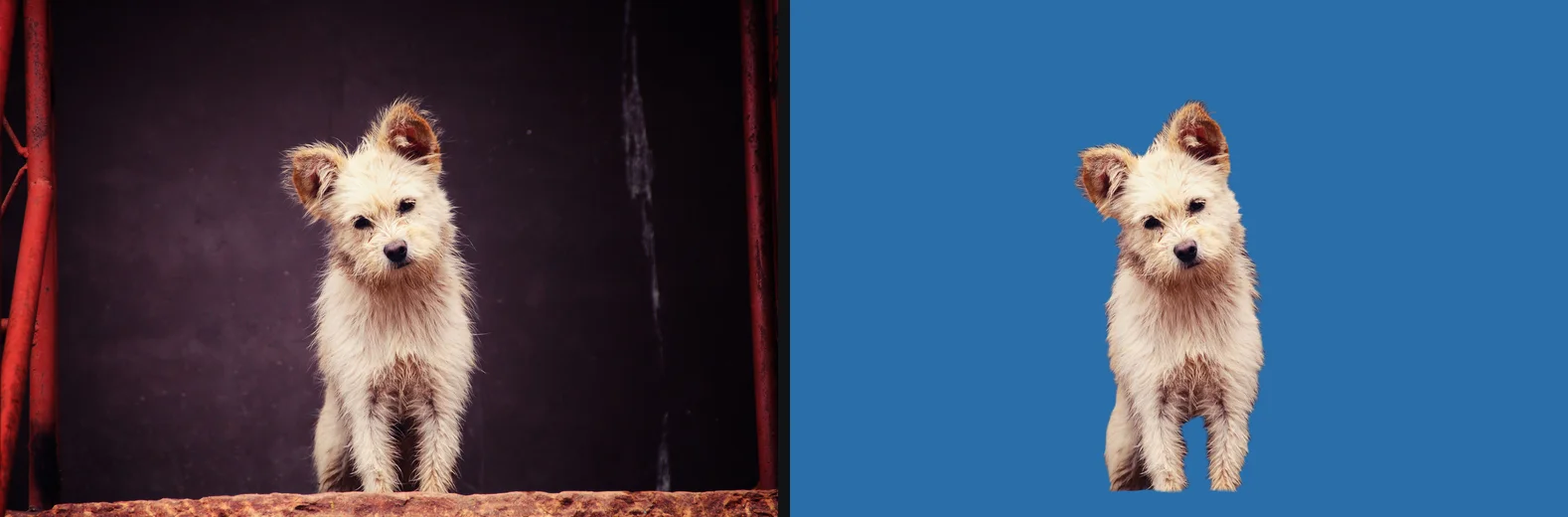
The question underneath every row of the table is whether the picture is finished or a part.
A finished picture is shown as it is: a marketplace listing, a profile photo, an email attachment. Give it a flat background, chosen for where it will be seen, and save it as a JPG or PNG with that colour baked in. Relying on the destination to handle transparency is how products end up on black squares on Etsy.
A part is something that will be placed on top of something else: a product on a banner, a face on a thumbnail, a logo on a slide, a sticker on a chat. Keep it transparent, as a PNG or WebP, and let the design app put the background in. You can always flatten a transparent file onto a colour later; you cannot get the transparency back out of a flat JPG without cutting it out again.
When in doubt, save both. With getPNG that is two downloads from the same result, a few seconds apart, and the model does not run again.
The free way
One cutout, any background, full size
Drop the photo, then pick Transparent for a part or White, Black or Any colour for a finished picture, and download PNG, WebP or JPG. The file comes back at the full resolution of the original, so a marketplace’s zoom still has every pixel to work with. Switching the background does not run the model again.
What getPNG does, and what it leaves to other tools
It is worth being exact about this, because most of the rules in the table are about more than the background.
What it does: removes the background from a JPG, PNG, WebP, AVIF, GIF, BMP or HEIC photo; keeps the result at the full resolution of the original; lets you grow or shrink the outline by up to five pixels (Edge shift) and soften it (Feather); shows the original beside the cutout with a draggable divider so you can check the edge; and saves a transparent PNG or WebP, or a JPG, PNG or WebP on white, black or any colour. It runs in your browser and the photo is not uploaded, which matters more than usual for products that have not launched yet or for photos of people. How to check a website is not uploading your photos shows how to confirm that yourself.
What it does not do: crop, pad to a square, resize to an exact pixel size, add a drop shadow, add a sticker outline, or fix one spot by hand with a brush. For those steps the guides for each use name a free tool. The one that covers almost all of them is Photopea, a free editor that runs in the browser and, according to its own learn pages, does not upload your files; its Image > Canvas Size and Image > Image Size handle padding and resizing, and layer styles add a shadow.
iPhone users can drop HEIC photos in as they are. The first one fetches a separate decoder (about 2 MB, once, then cached), and the photo is still decoded on the device; only the main photo is used, and its location data is not carried over.
Cutouts for a purpose: every guide
The right background for the place a picture is going: marketplaces, profile pictures, headshots, ID photos, thumbnails, stickers and logos, each with the rules that apply there.
- Product photos on a white background: the rules marketplaces shareWhite backgrounds for online shops, and the rules the marketplaces share
- Amazon product image requirements: the main image, pure white and the 85 percent ruleThe main image rules, pure white, and the 85 percent fill
- Etsy photo size and listing photos: sizes, thumbnails and backgroundsSizes, the first photo, and when a white background helps on Etsy
- eBay photo requirements: size, borders, backgrounds and the main photoeBay's photo rules and a clean background that passes them
- Shopify product image size: square images, consistent backgrounds and limitsSquare sizes, consistent backgrounds and a lighter store
- LinkedIn profile picture: background, crop and sizeBackground, crop and size for the one photo recruiters see first
- Headshot background: the best colour, and whyWhich colour works behind a face, and why
- Passport and ID photos: getting the background rightGetting the background right, and what the official check still wants
- US passport photo requirements: size, head, background and editsThe official 2x2 rules, why an edited background fails, and taking one at home
- Baby passport photo: US rules for newborns and infants, and how to take oneUS rules for newborns and infants, a white sheet or a car seat, and no hands in the photo
- US visa photo requirements: DS-160, DV lottery, immigrant visas and green cards600 by 600 pixels and 240 KB for the DS-160 and DV lottery, and prints for the interview
- Canadian passport photo requirements: size, studio rules and what you can check at home50 by 70 mm, and why Canada needs a commercial photographer
- Profile pictures with a transparent or coloured backgroundDiscord, Slack, gaming and social avatars with a clean background
- A Discord profile picture from your own photoA Discord PFP that survives the circle crop, and what Discord says about files
- A custom Microsoft Teams background from your own imageYour own Teams background, with a logo lifted off a photo onto a brand colour
- Zoom virtual backgrounds: size, format and a clean imageZoom's file rules, the green screen setting, and why your text looks reversed
- What is a PNGTuber, and how to make one from a photoTransparent PNGs for a streaming avatar that swaps when you talk
- YouTube thumbnails with a cutout of yourselfA cutout of yourself on a bold background, at 1280 by 720
- Sticker PNG: make stickers from your own photosFrom photo to cutout to sticker, printed or for WhatsApp and iMessage
- How to make a logo transparent, even from a photoA logo on paper, a wall or a shirt, to a clean PNG and then a vector
The tools for this: Put a photo on pure white, Put a photo on any colour, Remove the background from a logo, Crop a passport photo to size.
Questions
What is the best background colour for a product photo?
Pure white (#FFFFFF) for any marketplace listing, because Amazon requires it for the main image and eBay calls white generally best. For your own shop or social media, any clean colour works if you use the same one on every product. A darker background can suit shiny jewellery, which eBay's own tips point out.
Should I use a transparent PNG or a white background?
Use a transparent PNG when the picture will be placed on something else: a design, a slide, a website section, a sticker. Use a flat colour when the picture is the final file a platform shows as it is, such as a marketplace listing. Etsy, for example, says transparent parts of an image appear black on its site.
Can I change the background of a passport photo?
The official rules say no. The US State Department asks for the original, unedited photo, and the UK government says the photo must be unaltered by computer software. Take the photo against a plain light wall instead. The passport photo guide covers what to do at home.
What background works best for a profile picture or headshot?
A plain, mid to light background that contrasts with your hair and clothes: light grey, a soft blue, or a muted brand colour. Pure white can make pale hair and white shirts disappear into the edge. No platform we checked sets a colour rule for a profile photo; it is a matter of legibility at small sizes.
Does a coloured background make the file bigger?
Hardly. A flat colour compresses very well in PNG, JPG and WebP. What makes a file big is its pixel size, so a 6,000 pixel photo is larger than a 2,000 pixel one whatever is behind the subject. Resize to what the destination needs before you upload.
Is it safe to use an online background remover for product photos?
It depends on the tool: most upload the photo to their servers to process it. For unreleased products or client work that matters. Is it safe to upload photos online explains what the popular tools say they do with your file, and getPNG does the whole job inside your browser.