Remove the background.
Keep every pixel.
Full-resolution cutouts with hair-level edges. Free, unlimited, no watermark, and your photos never leave this device: the app runs in your browser.
- No uploads
- No sign-up
- No resolution cap
- No watermark
What the edge looks like
drag the divider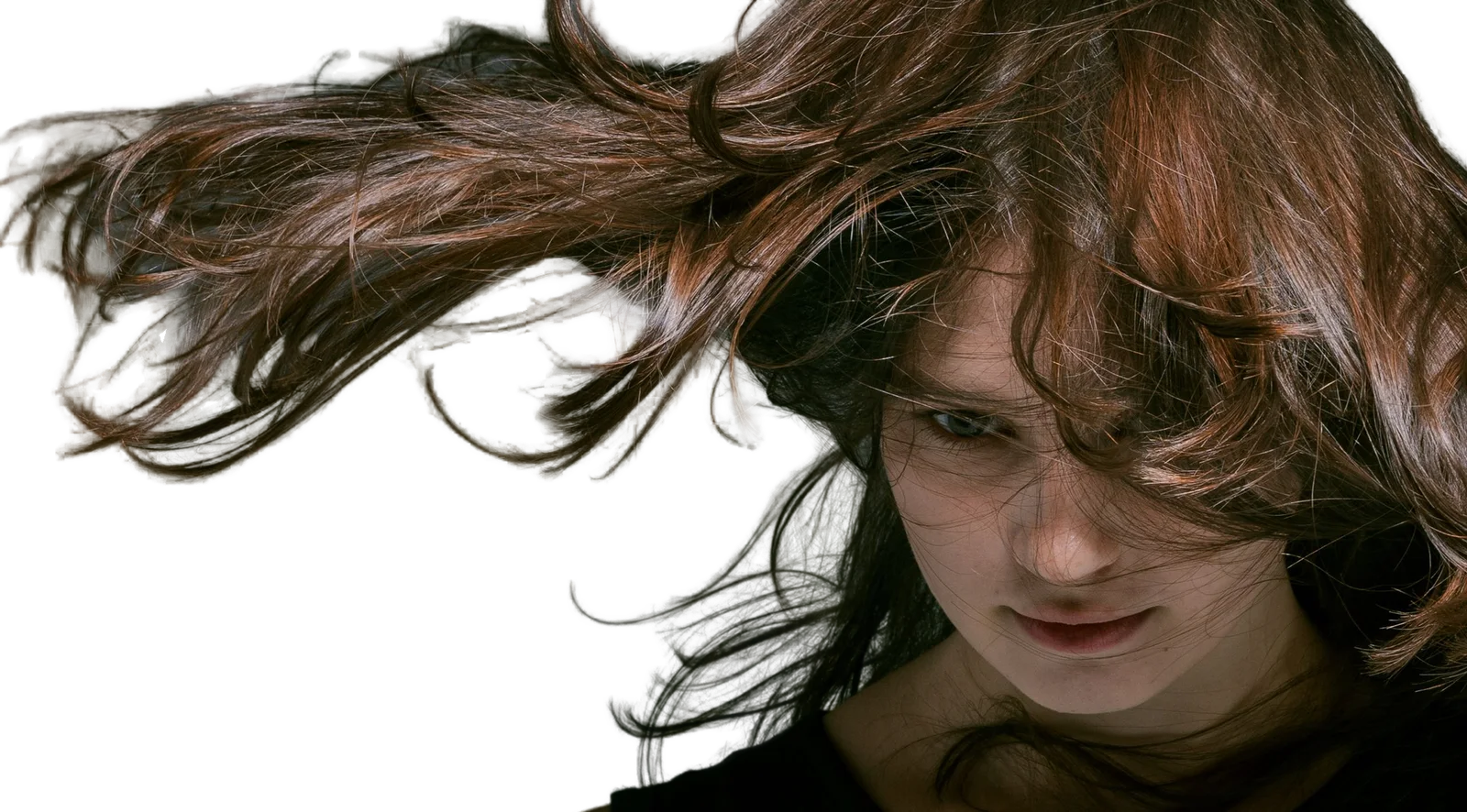 OriginalCutout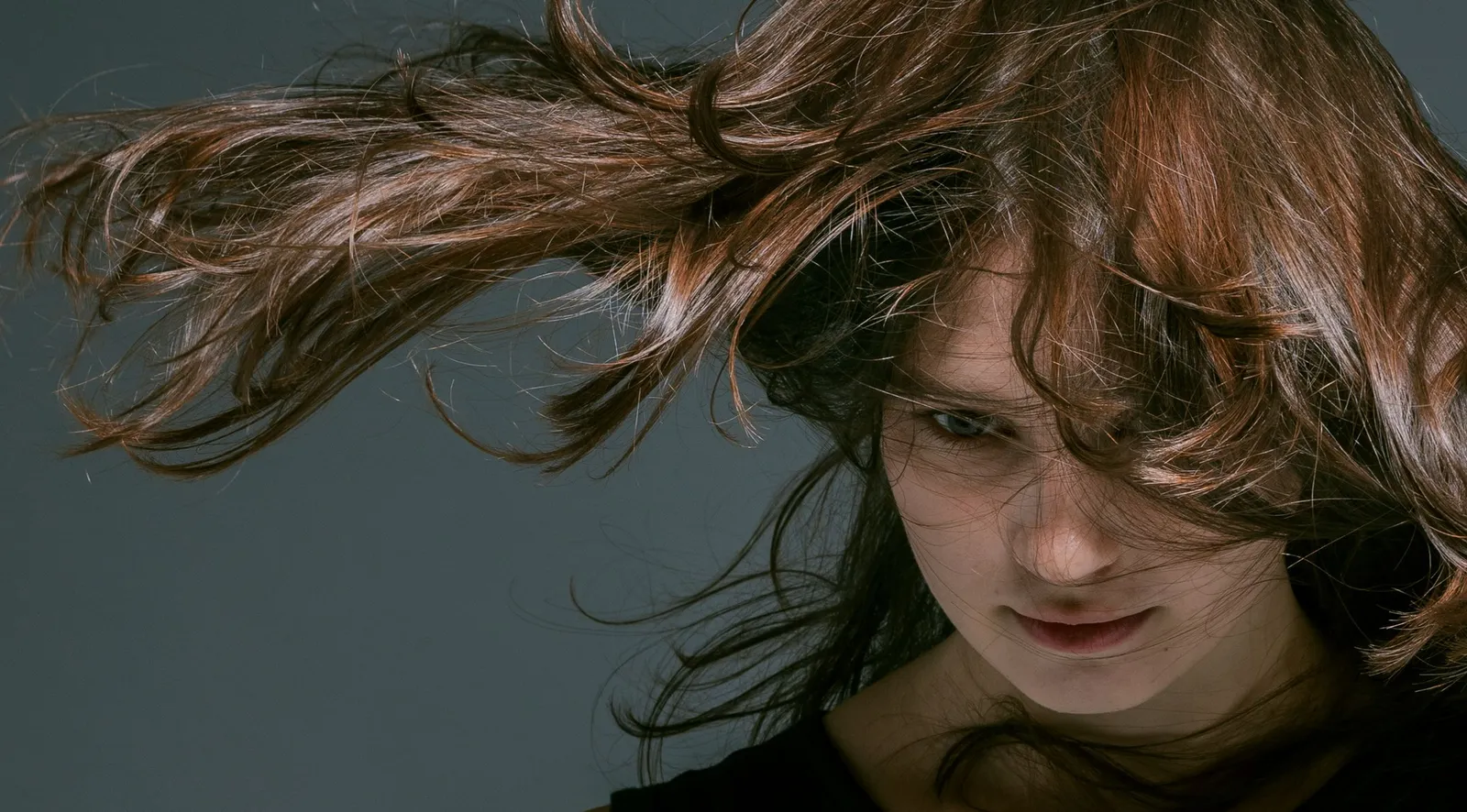
The portrait sample, cut out by the model this page runs. The strands stay soft instead of ending at a hard line.
Three steps, no account
It all happens on your device, so there is nothing to wait for on a server.
- 1Drop your imageIt opens instantly. Nothing uploads, so there is no file-size limit and no waiting on a server.
- 2The app cuts it outIt finds the subject, then sharpens hair, fur and fine detail at the full resolution of your picture.
- 3Download or keep editingTransparent PNG or WebP, or a JPG on a colour. Grow, shrink or feather the edge first if you like.
Built to beat the paid tools
Every point below answers something other removers charge for or get wrong.
- Full resolution, alwaysYour 24-megapixel photo comes back as 24 megapixels. Edge refinement runs at native size, with no paywalled HD tier.
- Hair-level edgesA soft alpha from the model, fitted to the real pixels of your photo with a guided filter, so the outline follows strands rather than a blurred mask.
- Private by architectureThe model runs on your device. Open the network tab and watch: zero image bytes leave the page. Works offline once loaded.
- Photo to PNG to SVGTake the cutout to getSVG and turn it into clean vector paths. Logo rescue in two steps.
The honest comparison
Checked against public pricing pages in September 2026. Prices and plans change; check the other sites before you decide.
| Feature | getPNG | remove.bg | PhotoRoom | Canva |
|---|---|---|---|---|
| Full-resolution download | Free | Paid | Pro | Pro |
| Unlimited images | Yes | Credits | Credits | Fair use |
| Works offline | Yes | No | No | No |
| Photos stay on your device | Yes | Uploaded | Uploaded | Uploaded |
Every tool, same promise
35 tools for pictures and PDFs. They run in this tab and your files are not uploaded.
Background
4 more →Image
3 more →Into a PDF
Edit a PDF
1 more →Converters
7 more →- PNG converterAny image the browser can open (JPG, WebP, AVIF, GIF, BMP, JFIF) to PNG, many files at once.
- WebP to PNGWebP images from websites to PNG files that open everywhere, transparency kept.
- JPG to PNGJPG and JPEG photos to lossless PNG, and what the conversion does not do: it adds no transparency.
- PNG to JPGPNG to smaller JPG files, with a colour of your choice behind transparent areas.
Guides
How to do it in the app you already use, what a transparent PNG really is, and which background each place wants. All guides
- Remove a background in the app you already useWhich apps have a background remover built in, which hide it behind a subscription, and which have none at all, with the steps for each and the free way when the app cannot do it.
- Transparent PNGs, explainedWhat transparency is inside an image file, why a transparent picture sometimes shows up black, white or checkered, how to make one properly, and how to tell which websites upload your photos to do it.
- Cutouts for a purposeThe right background for the place a picture is going: marketplaces, profile pictures, headshots, ID photos, thumbnails, stickers and logos, each with the rules that apply there.
- The formats behind your photosHEIC from an iPhone, AVIF and WebP from the web, JFIF from a download that saved oddly, and PNGs that are larger than they need to be: what each one is and what to turn it into.
- Pictures and PDFsWhat a PDF actually is, how to get pictures into one and out again on any device, and the two things that decide whether the result is any good: whether the tool re-compressed your photo, and what resolution you asked for.
- Size, sharpness and enlargingWhat resolution actually is, how many pixels a print or a screen really needs, what an upscaler can add and what it can only pretend to add, and how to tell a picture that is too small from one that is simply out of focus.
- Green screens and chroma keyingWhy a coloured backing still beats a model on hair and glass, how to light one so the key is easy, what the sliders in every app are really doing, and how to get the green off the edges without turning hair grey.
Questions
How is this free with no catch?
The work happens on your device instead of on our servers, so a picture costs us nothing to process. What is left, hosting the site and the models, is paid for by optional tips on Ko-fi (ko-fi.com/getpng). Nothing is locked behind a tip, and there are no ads.
What happens to my photos?
They stay in this browser tab. Nothing is uploaded, logged or stored; close the tab and they are gone. You can check: after your first picture, switch your browser to offline and the tool still works.
Why is the first picture slower than the rest?
The first time, your browser fetches the AI model from getpng.app and keeps it: 115 MB where the browser has WebGPU, which is most current laptops and desktops, and 44 MB for the lighter model everywhere else. A quick first result appears within seconds while that happens, and sharpens once the model is ready. Every picture after that starts at once, even with no connection.
Is the quality really as good as paid tools?
The model is from the same family the paid tools build on. Where getPNG differs is after the model: the edge is refined against your picture at its full size instead of being enlarged from a small mask, and that step is not locked behind an HD tier.
Does it work on my phone?
Yes, in a recent Chrome, Safari or Firefox. A device without WebGPU, or whose graphics card refuses the main model, gets a lighter model on the processor, still at 1024 pixels and still full resolution, and the stats bar under the picture says which one ran. A very large photo on a phone with little memory is processed at a reduced size, which the page also tells you about.
The cutout missed a spot, or kept some background. What can I do?
Edge shift grows or shrinks the whole outline by a few pixels, and Feather softens it. A brush for fixing one area by hand is planned; it is not in this version.
Can I get a JPG instead of a PNG?
Yes. Pick a background colour, then choose JPG in the export box. A JPG has no transparency, so it always needs a colour behind the cutout.
Can I turn the cutout into a vector?
Download the PNG and open it in getSVG, the sibling tool, which traces it into editable paths. That works best for logos, lettering and flat artwork, not for photographs.