Transparent background maker
Turn any photo into a transparent PNG at its full resolution. Free, no watermark, and the photo never leaves this device, because the AI runs in your browser.
What a transparent background really is
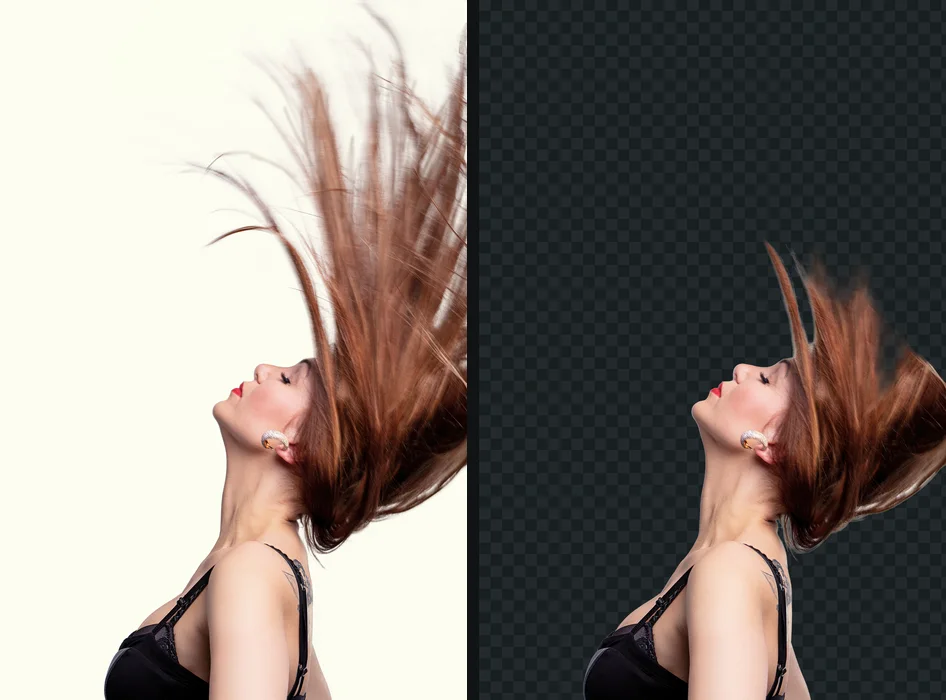
A picture with a transparent background has nothing behind the subject. Every pixel in a PNG carries a fourth number beside red, green and blue, the alpha channel, which says how see-through that pixel is. Where alpha is zero, whatever the picture is placed on shows through: a slide, a web page, a product listing, a poster. Where it is in between, as it is along hair, fur and soft edges, the subject blends into its new background instead of sitting on it like a paper cutout. The alpha channel, in plain words explains why that middle range matters more than the fully clear part.
The grey and white checkerboard you see here and in every editor is not in the file. It is a convention for drawing "nothing", so you can see where the picture ends. That is also why a checkerboard that stays put when you drop the file somewhere else is a warning sign: it was painted into the pixels. The fake transparent PNG shows how to spot one.
How to make a background transparent
- Drop the photo on this page, choose it, or paste it. JPG, PNG, WebP, AVIF, GIF, BMP and iPhone HEIC photos all work.
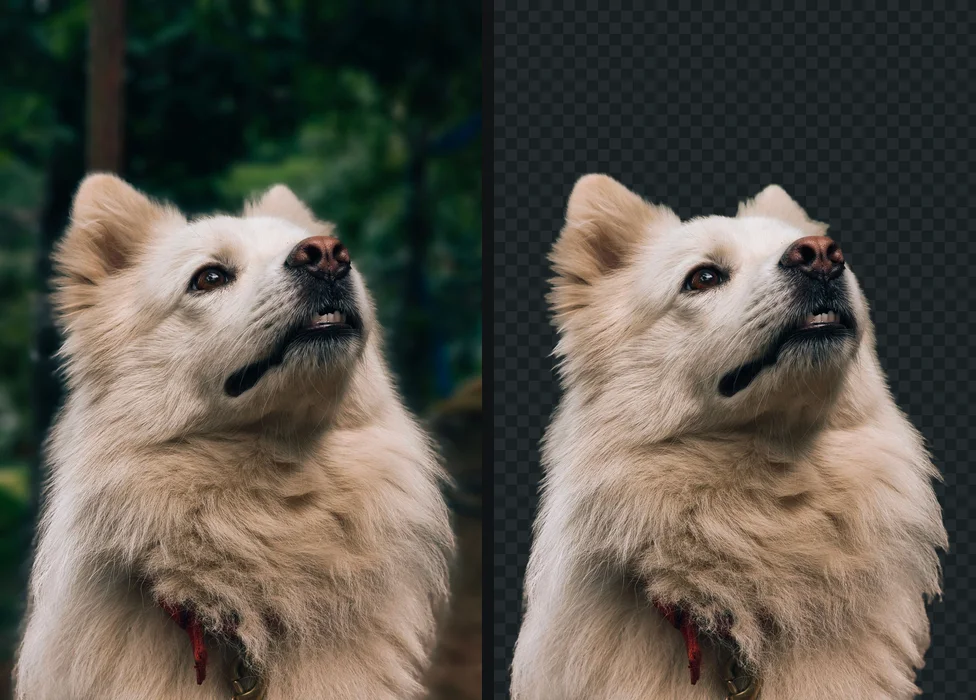
- Let the AI find the subject. A model finds the person, pet, product or object, then the outline is refined against the full-size photo.
- Check the edge with the compare view, which puts the original beside the cutout with a divider you can drag. Edge shift grows or shrinks the outline by up to five pixels; Feather softens it.
- Download PNG. The background stays transparent and the file has the same width and height as your photo.
A PNG maker for photos
Most "PNG maker" searches are people who have a picture and need the same picture without its background, as a PNG they can drop onto something else. That is what this page does. It does not draw new images from a prompt; it keeps your photo and removes what is behind the subject. If you only need to change a file's format and keep its background, any image editor's Save As does that, and JPG vs PNG explains which of the two to keep.
Which formats keep transparency
PNG keeps it everywhere and is the safe choice for documents, slides, Canva, Figma and most websites. WebP keeps it too and is much smaller, which suits a web page you control; not every upload form accepts it. JPG has no alpha channel at all, so choosing JPG here puts the cutout on a solid colour, white unless you pick another. If a transparent PNG shows up black or white after you send it, the app on the other end flattened it: why a PNG shows a black or white background goes through the usual culprits, from email clients to chat apps.
Full resolution, with no HD tier
Background removers run their model on a small copy of your photo, often around 1,024 pixels, and many of them hand back that small answer enlarged, or charge for the full-size file. getPNG fits the model's answer to the real edges of your full-size picture with a guided filter, so a 24-megapixel photo comes back as a 24-megapixel PNG whose outline follows the actual pixels. Nothing about that is a paid extra. How it works has the detail.
When the edge is not right
A thin light or dark line around the subject is left-over background mixed into the edge pixels. Move Edge shift one or two pixels below zero and look at the result on a dark and a light background before downloading. Parts of the subject that touch something of a similar colour, like a black jacket against a dark sofa, are where any model struggles. getPNG has no brush for fixing one area by hand yet, so for a stubborn spot open the PNG in an editor: white halos and jagged edges after a cutout covers both fixes.
Guides that go further
Part of transparent pngs, explained. Tested steps, the rules each place sets, and what to do when a cutout is not right.
- Transparent PNG: what it is, where it works, and where it failsA transparent PNG stores see-through pixels, not a checkered background. How to tell a real one, where transparency survives, and where it turns white.
- What is a transparent background, really?A transparent background is empty pixels, not white ones. How alpha works, why editors show a checkerboard, and which formats keep it: PNG, WebP, AVIF, not JPG.
- How to make a transparent PNG: three ways that workHow to make a transparent PNG from a photo, in a free editor, or from a logo on white. Which way suits your picture, and how to check the file is really clear.
- Why your PNG shows a black or white background (and how to keep it transparent)Why is my PNG not transparent? Why a transparent PNG turns black or white in viewers, WhatsApp, Instagram, email and Office, and how to keep the transparency.
- The fake transparent PNG: how to spot one, and how to fix itA fake PNG has the grey and white checkerboard painted into its pixels. How to spot one before you download, why they exist, and how to fix the one you have.
- White halo or jagged edges around a cutout: why it happens and how to fix itWhy a cutout gets a white halo or jagged edges, and how to fix it: shrinking the edge, feathering, and colour decontamination in Photoshop, Photopea and GIMP.
Questions
How do I make the background of a picture transparent for free?
Drop the picture on this page. The app finds the subject, the edge is refined at the full size of your photo, and Download PNG saves a file whose background is transparent. There is no account, no watermark and no credit to spend.
Why does my transparent PNG show a checkerboard, or a black or white background?
The checkerboard is how editors and this page draw 'nothing here'; it is not in the file. A black or white background usually means the app you opened it in does not show transparency, or the file was converted to JPG, which has none.
Which formats keep a transparent background?
PNG and WebP, which are the two this page saves with transparency. AVIF and GIF can hold it too. JPG cannot: a JPG always has a solid colour behind the subject.
Is the transparent PNG the same size as my photo?
Yes. A 24-megapixel photo comes back as 24 megapixels. The model works on a smaller copy, then its answer is fitted to the real edges of the full-size picture.
Is this a PNG maker?
For photos, yes: it turns a JPG, HEIC, WebP, AVIF, GIF, BMP or PNG with a background into a transparent PNG of the subject. It does not generate new pictures from a text prompt.
Your photo never leaves this device
The AI runs in your browser, so there is no server that could receive the picture. You can check it: open the network tab while the background is removed, or switch the browser to offline after your first picture and remove another. How to check a site is not uploading your photos.