Short answer
Etsy photo size, from Etsy Help (checked September 2026): listing photos should be at least 2,000 pixels in width and height, and the first photo at least 635 pixels or the listing may show lower in search. Make the first photo landscape or square with space around the product, because Etsy crops it into square, portrait and landscape thumbnails. Use JPG or PNG without transparency: transparent areas appear black on Etsy.
The Etsy photo size question has a short answer and a longer one. The short answer, from Etsy’s own help pages: at least 2,000 pixels wide and high, and never under 635 pixels for the first photo. The longer answer is about the first photo’s shape, the three different thumbnail crops Etsy makes from it, and one trap that catches sellers who have just cut their product out: Etsy turns transparency black.
Everything below was checked in September 2026 on Etsy Help: Requirements and Best Practices for Images, How to Create a Listing and How to Edit Your Listing Photos. Where Etsy’s pages are vague or say two things at once, this guide points it out.
Etsy photo size: the numbers Etsy gives
| Image | Etsy’s size | Required or recommended |
|---|---|---|
| Listing photos | At least 2,000 pixels in width and height | Recommended |
| First listing photo | At least 635 pixels in width and height | Below this, the listing may show lower in search |
| Shop logo | 500 x 500 px | Recommended |
| Profile photo | 400 x 400 px | Recommended |
| Mini shop banner | 1,600 x 213 px (minimum 1,200 x 160) | Recommended |
| Big shop banner | 1,600 x 400 px (minimum 1,200 x 300) | Recommended |
A few other facts from the same pages:
- Up to 20 photos and 2 videos per listing; videos are 5 to 15 seconds.
- File types: JPG, GIF, PNG, SVG and HEIC. Animated GIFs and transparent PNGs are not supported. WebP is not listed.
- File size: Etsy gives no hard maximum on that page, but warns that images over 1 MB may not finish uploading on a slow connection. That is a warning about your connection, not a rule; a 2,000 pixel JPEG can easily be over 1 MB, and it uploads fine on normal broadband.
- Colour: Etsy converts images to sRGB. If colours look wrong on Etsy, convert to sRGB before uploading; CMYK is for print.
- Compression: Etsy compresses uploads to keep pages fast, so images can look slightly less sharp after upload. Starting from a large, sharp photo is the defence.
- Enlarging: Etsy notes that making an image bigger can pixelate it. Shoot large and scale down.
Etsy’s creation form also nudges you: under 2,000 pixels wide, it shows a message that listings look best with larger photos. You can still publish, but it is telling you the same thing as the help page.
The first photo: shape and the three thumbnails
The first photo is the thumbnail for the listing, the picture shoppers see in search and around the site, and Etsy crops it differently in different places. Its help page describes three thumbnail views, square, portrait and landscape, and gives you an Adjust Thumbnail tool in the listing editor to position the product so it reads in all three.
What Etsy asks for, paraphrased:
- The first photo should be landscape or square, so the centre of the image stays in the cropped thumbnails.
- The first photo’s shape sets the shape of the rest. Using the same shape for every photo in a listing makes browsing smoother.
- Shoot further back than you think you need, with the most important part of the item in the centre, so you can crop in without losing any of it.
Here the help page contradicts itself slightly. One section says the first photo should be horizontal or square; the thumbnail section a few lines later says to avoid square crops and upload horizontal or landscape images. The reasonable reading is that landscape is the safest choice, square works, and portrait loses the most in the crops. If your product is tall, a bottle or a lamp, shoot it in landscape with plenty of space on either side rather than filling a portrait frame.
The widely quoted 4:3 ratio (for example 2,667 by 2,000 pixels) is a sensible landscape shape that meets Etsy’s 2,000 pixel recommendation on both sides. It is a seller convention, not a number on Etsy’s page.
Etsy also says a main image that is too dark, blurry or a collage of photos may show lower in search. One clear product, well lit, in the middle of the frame.
Does an Etsy photo need a white background?
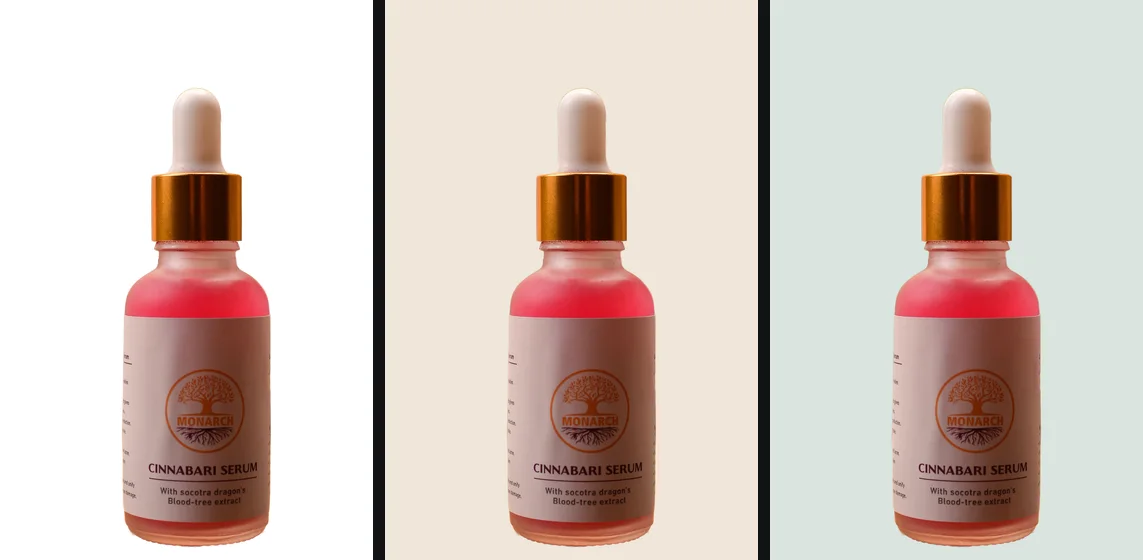
No. Unlike Amazon, Etsy has no background rule at all. That leaves a real choice, and it depends on what you sell.
A white or light plain background on the first photo keeps the product readable at thumbnail size in a grid of busy photos, and it makes a set of listings look like one shop. It suits jewellery, prints, ceramics, stationery and anything whose shape and colour are the point.
A lifestyle photo shows scale and use: the mug on a desk, the necklace on a person, the print on a wall. Etsy shoppers buy handmade and vintage goods partly on mood, and these photos carry that. They are usually stronger as the second or third photo, where they are seen at full size.
A common arrangement is a clean product shot first, then lifestyle, detail and scale photos after it. For a light plain background, pure white is not required on Etsy, so a soft off-white or a pale brand colour is fine as long as you use the same one across the shop. Product photos on a white background compares Etsy’s freedom with Amazon’s strict rule, if you sell on both.
The transparency trap: why cutouts turn black on Etsy
If you have cut your product out and saved a transparent PNG, do not upload it as it is. Etsy’s image requirements page says transparent PNGs are not supported and that transparent parts appear black. A product meant to float on white arrives on a black rectangle, with a thin grey fringe along the edge where the soft pixels were.
The fix is to decide the background yourself before uploading: put the cutout on white or a colour and save a file with no transparency. Why a PNG shows a black or white background explains why this happens in so many places, not only on Etsy.
The free way
Cut it out and put it on a colour Etsy cannot turn black
Drop the product photo, check the edge in the compare view, then pick White, or Any colour for a soft shop colour, and download a JPG or PNG. The file comes back at the full resolution of the original, so there is room to crop to landscape and stay above 2,000 pixels.
How to make an Etsy listing photo from a cutout
1. Shoot wide
Landscape, at the camera’s full resolution, with the whole product in the middle and generous space around it. For a cutout, a background that contrasts with the product makes the cleanest edge: a white candle on a grey board rather than on white card.
2. Cut it out and choose the background
Remove the background, check fine details in the compare view (chains, tassels, the gap in a handle), and put the result on your shop’s background colour. If a pale fringe of the old background clings to the edge, shrink the outline by a pixel with Edge shift; white halos around a cutout explains the cause.
3. Fit it to landscape, if it is not already
getPNG keeps the photo’s own shape; it does not crop or extend the canvas. If the photo is already landscape with space around the product, skip this step. If you need to add space, a free editor does it:
- Open the cutout in Photopea (photopea.com), which runs in the browser and says on its learn pages that it does not upload files.
- Image > Canvas Size: for a 4:3 landscape, set the height to at least 2,000 pixels and the width to four thirds of it (2,667 for 2,000).
- If the new strips show a checkerboard, add a layer, fill it with your background colour and move it beneath the product.
- File > Export As > JPG.
You can also crop inside Etsy: the listing editor has a crop icon on each photo, with suggested sizes. Etsy notes that a crop cannot be undone once saved, only replaced by uploading the original again.
4. Upload and adjust the thumbnail
Add the photos with the clearest product shot first. Then open Adjust Thumbnail in the listing editor, zoom and position the image, and check that the product is whole in each view before you apply it.
Check the first photo before publishing
- Open the exported file’s details (right-click, Properties, Details on Windows; Get Info on a Mac) and read the pixel size.
- In the Etsy listing editor, open Adjust Thumbnail and look at all three views.
You should see: 2,000 pixels or more on both sides, a solid background with no black anywhere, and the whole product visible in the square, portrait and landscape thumbnails.
If you do not: if the background is black, the file still has transparency: re-save it on a colour. If a thumbnail cuts into the product, add canvas space around it rather than shrinking the product in the frame too far.
Etsy’s own photo editing, and what it does not do
Etsy’s Seller app has a photo editor built with Img.ly: Transform to crop and rotate and Adjust for brightness, contrast, saturation and sharpness, plus saved custom filters for a consistent look. Its help page does not describe a background remover. Etsy also offers sellers a three month trial of Adobe Express Premium for making listing images; Adobe Express is an online editor tied to an Adobe account, so check Adobe’s terms before putting designs you have not released through it.
Both Etsy’s editor and any online editor work on a photo that has already left your device. That is fine for a finished listing photo. It matters more for new designs you would rather not share before launch, which is where is it safe to upload photos online is worth a read.
When this does not work
- iPhone HEIC photos. Etsy accepts HEIC, and so does getPNG. The first HEIC fetches a separate decoder (about 2 MB, once), so that one needs a connection.
- Clear glass and resin. The old background shows through the item, and cutting out the surrounding background leaves those colours inside it. Shoot these on the background you want.
- Very fine or fuzzy edges. Yarn, fur and fringing keep a soft edge in a good cutout, which looks right on a light colour similar to the original background and can look grey on a very different one.
- One area the cutout got wrong. getPNG has no brush to fix a spot by hand yet; for a single stubborn patch, finish it with a layer mask in Photopea.
Selling in more than one place? The same master photo covers eBay, with its 500 pixel minimum and no-borders rule, and Shopify, where consistency across the catalogue matters most.
The steps, in short
- Shoot wide, at full resolution. Landscape orientation, the whole product in the middle, and more empty space around it than you think you need, so every thumbnail crop keeps the product.
- Choose the background. Etsy does not require white. A clean white or soft light colour on the first photo keeps it clear in search; lifestyle shots work well for the others.
- Remove transparency. If you cut the product out, put it on a solid colour before uploading. Etsy does not support transparent PNGs and shows the transparent parts as black.
- Fit it to the shape and size. Pad to landscape or square in a free editor if needed, and export at 2,000 pixels or more on the shorter side, in sRGB.
- Upload and set the thumbnail. Add up to 20 photos, put the clearest first, then use Adjust Thumbnail in the listing editor to check all three thumbnail views.
Questions
What is the best Etsy photo size?
Etsy recommends listing photos with a width and height of at least 2,000 pixels. A landscape 4:3 photo at 2,667 by 2,000 pixels or a square at 2,000 by 2,000 both meet that, but note that Etsy's help page does not name a specific ratio; 4:3 is a common choice among sellers, not an Etsy rule.
Why does my transparent PNG show a black background on Etsy?
Etsy does not support transparent PNG files for listings. Its image requirements page says the transparent parts of an image appear black. Put the product on white or another solid colour before you upload, and save it as a JPG or a PNG without transparency.
What size is the Etsy thumbnail?
Etsy does not publish one thumbnail size on its help page. It crops the first listing photo into square, portrait and landscape views used in different places across the site, and gives you an Adjust Thumbnail tool to position the product in all three. Leave space around the product so none of the crops cut into it.
Do Etsy product photos need a white background?
No. Etsy sets no background rule. A clean white or light background on the first photo keeps it readable in a busy search grid, and Etsy shoppers also respond to lifestyle photos that show scale and use. Many sellers use one of each: white first, the product in use second.
How many photos can I add to an Etsy listing?
Up to 20 photos and 2 videos of 5 to 15 seconds each, according to Etsy's How to Create a Listing help page, checked September 2026.
What file types does Etsy accept for listing photos?
JPG, GIF, PNG, SVG and HEIC, per Etsy Help. Animated GIFs and transparent PNGs are not supported. WebP is not on the list, so save your photos as JPG or PNG.
Why do my photos look less sharp after uploading to Etsy?
Etsy compresses listing images to keep pages fast, and says so on its image requirements page. Upload at 2,000 pixels or more, in sRGB, and avoid enlarging a small photo: scaling up adds pixels without detail and looks worse after compression.